What it makes
A ZIP with SKILL.md, README.md, and references/source-manifest.json.
GitHub repo to AI skill ZIP
Turn a public GitHub repository page into a reusable AI skill ZIP for coding agents. It captures visible repo context, drafts SKILL.md locally, runs a quick check, and exports a ZIP. AI Improve is optional and only runs after you click.
Short version
Repo Skill Maker is for developers who want a small, reusable context package for an AI assistant without cloning the repo or writing a skill file from scratch.
A ZIP with SKILL.md, README.md, and references/source-manifest.json.
Visible public repository context: repo name, URL, README text, file links, description, and package hints.
The first draft, export, local AI-use counters, and recent-result cache stay on the user's computer.
Only after the user clicks Improve. The Make skill path creates a usable local draft first.
Plain version
It tells the AI what the repo is, which files matter, and what to check first.
Use a public GitHub repo page.
The extension reads the page and writes SKILL.md.
You get SKILL.md plus a small source file.
Real checks
The test opened Chrome, loaded the extension, read a real repo, made a skill, and checked the side panel.
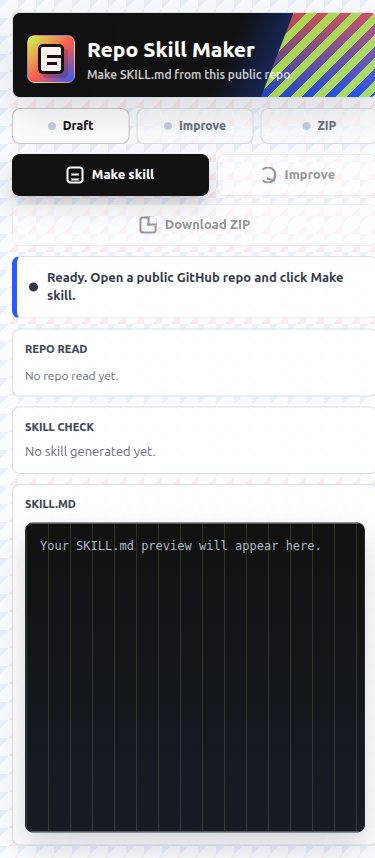
What you get
The exported files are meant to be reviewed before reuse. The extension does not publish, install, or submit the generated skill for you.
SKILL.md
references/source-manifest.json
README.md
Privacy model
Repo Skill Maker works from an explicit user action on the active GitHub tab. The extension does not claim access to private repos, full git history, hidden files, issues, pull requests, or repository secrets.
Limitations
Hidden files, generated files, private code, long histories, issues, and pull requests are outside the normal capture. Refresh the generated skill when the repository changes materially.
FAQ
Repo Skill Maker for GitHub is a Chrome extension that turns a public GitHub repository page into a reusable AI skill ZIP.
It captures visible public repository context and creates a skill draft. It is not a full repository crawler, clone tool, issue analyzer, or private-repo summarizer.
No. Users do not paste an API key into the extension.
Only after the user clicks Improve. The extension creates a local draft first.
The manifest uses activeTab, sidePanel, scripting, and storage. It does not request persistent host permissions.